> ## Documentation Index
> Fetch the complete documentation index at: https://docs.fileloom.io/llms.txt
> Use this file to discover all available pages before exploring further.
# Templates
> Create, manage, and organize PDF templates in the Fileloom dashboard.
The **Templates** section lets you create reusable PDF templates with HTML, CSS, and dynamic Handlebars variables.
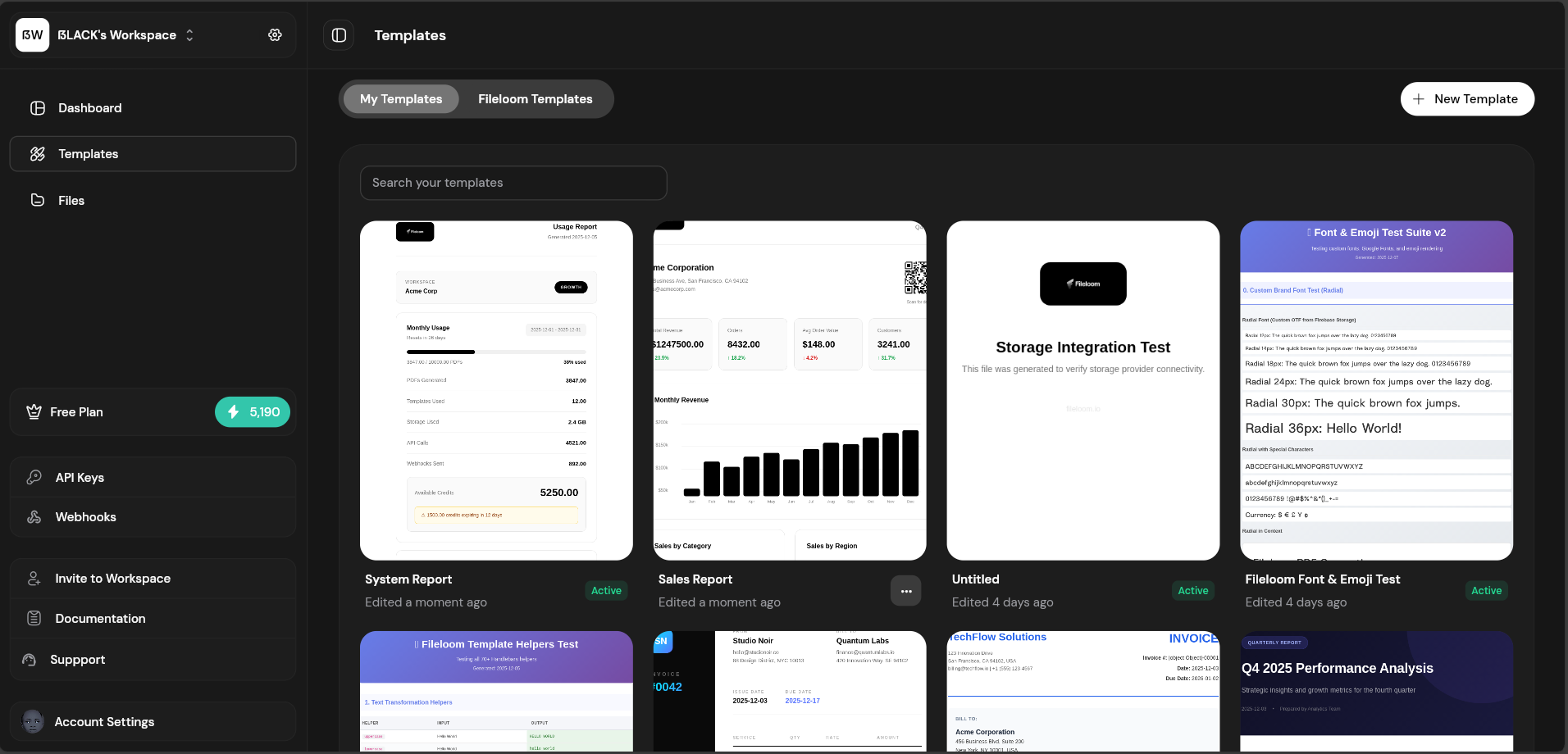 ## Creating a Template
From the Templates page, click the "Create Template" button.
Use the template editor to write HTML, CSS, and configure settings.
Enter sample JSON in the Test Data tab and preview your PDF.
Click "Publish" to make the template available via API.
See [Template Editor](/template-editor/overview) for detailed editing instructions.
## Using Templates via API
Reference a template by its ID in API requests:
```bash theme={null}
curl -X POST https://api.fileloom.io/v1/pdf/generate \
-H "X-API-Key: fl_your_api_key" \
-H "Content-Type: application/json" \
-d '{
"templateId": "tpl_abc123xyz",
"templateData": {
"customerName": "Acme Corp",
"invoiceNumber": "INV-2024-001"
}
}'
```
Find the template ID in the template editor header or templates list.
## Template Actions
| Action | Description |
| ------------- | ----------------------------- |
| **Edit** | Open in template editor |
| **Duplicate** | Create a copy of the template |
| **Delete** | Remove template permanently |
## Starter Templates
Fileloom provides 50+ professionally designed starter templates:
| Category | Templates Available |
| ------------ | ------------------------------------- |
| Invoices | Standard, Detailed, Freelance, SaaS |
| Receipts | Retail, E-commerce, Donation |
| Reports | Analytics, Financial, Performance |
| Certificates | Achievement, Course Completion, Award |
| Tickets | Event, Concert, Boarding Pass |
See [Starter Templates](/templates/starter-templates) for the complete list.
## Creating a Template
From the Templates page, click the "Create Template" button.
Use the template editor to write HTML, CSS, and configure settings.
Enter sample JSON in the Test Data tab and preview your PDF.
Click "Publish" to make the template available via API.
See [Template Editor](/template-editor/overview) for detailed editing instructions.
## Using Templates via API
Reference a template by its ID in API requests:
```bash theme={null}
curl -X POST https://api.fileloom.io/v1/pdf/generate \
-H "X-API-Key: fl_your_api_key" \
-H "Content-Type: application/json" \
-d '{
"templateId": "tpl_abc123xyz",
"templateData": {
"customerName": "Acme Corp",
"invoiceNumber": "INV-2024-001"
}
}'
```
Find the template ID in the template editor header or templates list.
## Template Actions
| Action | Description |
| ------------- | ----------------------------- |
| **Edit** | Open in template editor |
| **Duplicate** | Create a copy of the template |
| **Delete** | Remove template permanently |
## Starter Templates
Fileloom provides 50+ professionally designed starter templates:
| Category | Templates Available |
| ------------ | ------------------------------------- |
| Invoices | Standard, Detailed, Freelance, SaaS |
| Receipts | Retail, E-commerce, Donation |
| Reports | Analytics, Financial, Performance |
| Certificates | Achievement, Course Completion, Award |
| Tickets | Event, Concert, Boarding Pass |
See [Starter Templates](/templates/starter-templates) for the complete list.